
First steps in building your Joomla 3 website
18 Jun 2014 - Written by Paul Burndred
Posted in Tutorials
This article is intended to give new users an insight into the basics of creating a Joomla 3 website structure in the most efficient way. We plan to publish further articles to build on this tutorial, covering specific areas and features including options and settings.
Find out more by reading How to structure your first Joomla 3 Website.
How to use the computed panel in the Chrome inspector
23 Apr 2014 - Written by Paul Burndred
Posted in Tutorials
One of the most important tools used by the Joomla Bamboo team to troubleshoot websites and build templates is the Chrome browser. Inside the Chrome browser are a series of bundled web authoring and debugging tools, which are grouped under the name Chrome Developer Tools or DevTools for short.
Please view the Chrome Computing Panel tutorial on the Joomla Bamboo documentation site to find out more.
Zentools with External Links and a Directory
25 Mar 2014 - Written by Paul Burndred
Posted in Tutorials
Zentools for Joomla is a flexible, responsive and multi purpose extension that offers the ability to display content in many different ways from slide shows, carousels, grids, accordions, lists and many more.
In this tutorial a Zentools slide show is created using a directory (folder) of images. The images are then linked to web pages using the Zentools external link function. You can view the tutorial on the Zentools extension site.
How to add Typekit to your Zen Grid Framework Joomla template
28 May 2012 - Written by Anthony Olsen
Posted in Tutorials
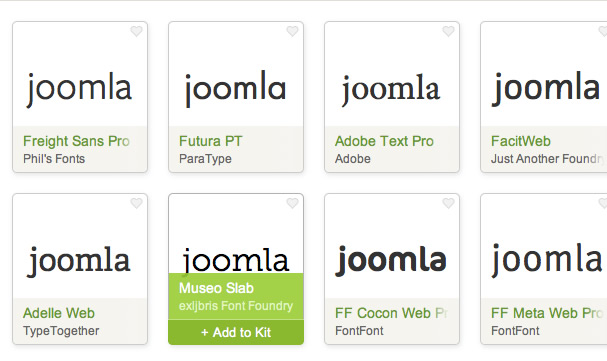
[Typekit support has been a part of our Joomla template framework since v1.0 however I really havent focussed that much on it given the rise and proliferation of google fonts. If you don't know about Typekit, it's a web font provider that has an extensive range of quality fonts available for you to drop into your Joomla template. It's a paid service but it's relatively cheap and really has some fantastic font choices available.
Using quality Google fonts
While google fonts are certainly easy to work with, and are also free, it takes a bit of work to sort the wheat from the chaff, although there are some good blog posts out there offering suggestions for choosing quality Google fonts. (The last link is my favourite) .
So despite the fact that Typekit is a paid service and compiling your own font stack take a little extra work, I think the benefits are obvious when it comes to choosing consistently good quality fonts for your website.
](https://typekit.com/)
How to add a default menu item in Joomla
09 Dec 2011 - Written by Anthony Olsen
Posted in Tutorials
After years of using Joomla it's easy to lose sight of the simple things. We get asked a lot of the same questions on our forum about how to use Joomla and by far the most popular is the one concerning the Joomla menu item id issue that we covered a while ago.
Last week we were asked how to create a default menu item in Joomla and so I have just posted the tutorial for creating a blog category menu item and setting it to the default menu in Joomla 1.7.
Over the next few weeks we will be populating the Using Joomla section of our knowledgebase in the hope that we cover a good portion of the questions that new users have when they first start using Joomla. So if you have any questions that are screaming out to be answered let us know and we will add them to the list.
Hiding Joomla modules on mobile devices
23 Sep 2011 - Written by Anthony Olsen
Posted in Tutorials

It always feels a little bit like cheating to use display: none in any css declaration, but its such an easy and useful tool that sometimes it's the best (read easiest) way to add some flexibility to the way certain content gets displayed on the page.
As you are probably already aware, the Joomla module class suffix system is a seriously powerful system and in my opinion really underpins Joomla templating and opens up a world of flexibility and configuration for the end user.
The following is a really simple hack that allows you to hide certain modules on small screens using the magic of media queries combined with a module class suffix.
Adding fancy box to a Zen Grid Framework template
31 Aug 2011 - Written by Matthew Hayashida
Posted in Tutorials
You already know that the Zen Grid Framework allows for basic css and javascript to be added in the template administration. But what if we want to add functionality for something like FancyBox? This is a little beyond the scope of the basic include functionality, so let's look at a good, efficient way to do this.
Taking screenshots of module parameters in Joomla
29 Aug 2011 - Written by Matthew Hayashida
Posted in Tutorials
Have you ever needed a simple way to provide your clients or users with a screenshot of all the preference panels in a module, menu, or content item? With this little trick you can quickly and easily provide screenshots for support, user documentation, or personal reference.
Missing Links - Opening links in a new window
25 Aug 2011 - Written by Paul Hassing
Posted in Tutorials

I strive to make readers stay long and read much.
That said, if I want to:
- expand a point without labouring it or
- refer to a more authoritative source,
Don’t worry. Readers who feel valued, respected, educated and entertained will return to your content no matter how many links you offer.
But while they appreciate links, they don’t like being booted out of what they’re reading.
This derails their train of thought.
A jquery snippet to test window height
05 Mar 2011 - Written by Anthony Olsen
Posted in Tutorials
jQuery as you are probably aware is sometimes billed as javascript for designers. I don't pretend to be a javascript expert by any means, but what I love about jQuery is that it's possible to cobble together some simple code that will work around some design constraint without needing to have an indepth working knowledge of core javascript principles. Seasoned developers may take issue with this but ultimately I think it encourages people to use javascript first and then slowly begin to learn the deeper foundations of its logic.
I've used fixed elements in some of our templates (most notably the Insideout Joomla template) and you will notice I've attached position: fixed to the left sidebar on this blog as well. One of the limitations of the fixed elements is that they often don't play well with small screen resolutions and so this is where jQuery comes in.
Adding module positions to Zen Grid templates
17 Feb 2011 - Written by Anthony Olsen
Posted in Tutorials
Even though the Zen Grid Framework comes with a plethora of module positions you may at times want to add your own module position to your customised layout. The process for doing this is relatively straight forward and for the most part doing so follows the standard Joomla 1.5 conventions.
To do this you need to take advantage of the Zen Grid Framework override system. For this example lets assume that the module position you want to add sits above the top row of modules ie above top1, top2, top3 and top4. The best place to put your new code in this case would be in a top.php override file.
To read the rest of this tutorial please visit the Joomlabamboo knowledgebase.
Creating two line menus in Joomla
22 Jun 2010 - Written by Anthony Olsen
Posted in Tutorials
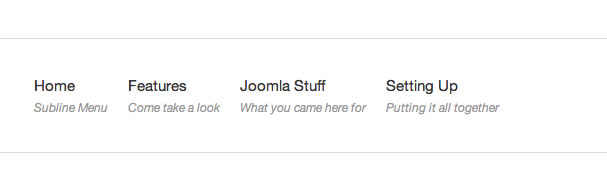
A few days ago while scouring the web for new Joomla extensions I came across this amazing little BBcode plugin for Joomla. At first I wasn't really certain what the benefits to using the plugin were - I initially thought why not just use html - but after digging a little deeper I discovered the real power of this plugin and how easy it is to create two line menu items with it.
For those of you who are new to bbcode, its the code that is traditionally used in forums and some comment systems - or a more in depth explanation from the BBCode website:
"It is similar to HTML in the sense that in BBCode one does also use tags to format something specific (contained within the tag). In BBCode tags are indicated by rectangular brackets surrounding a keyword, which is in turn transformed into HTML before being delivered to a web browser."